


Healthcare
Prior Authorization and Claims Automation for Practices
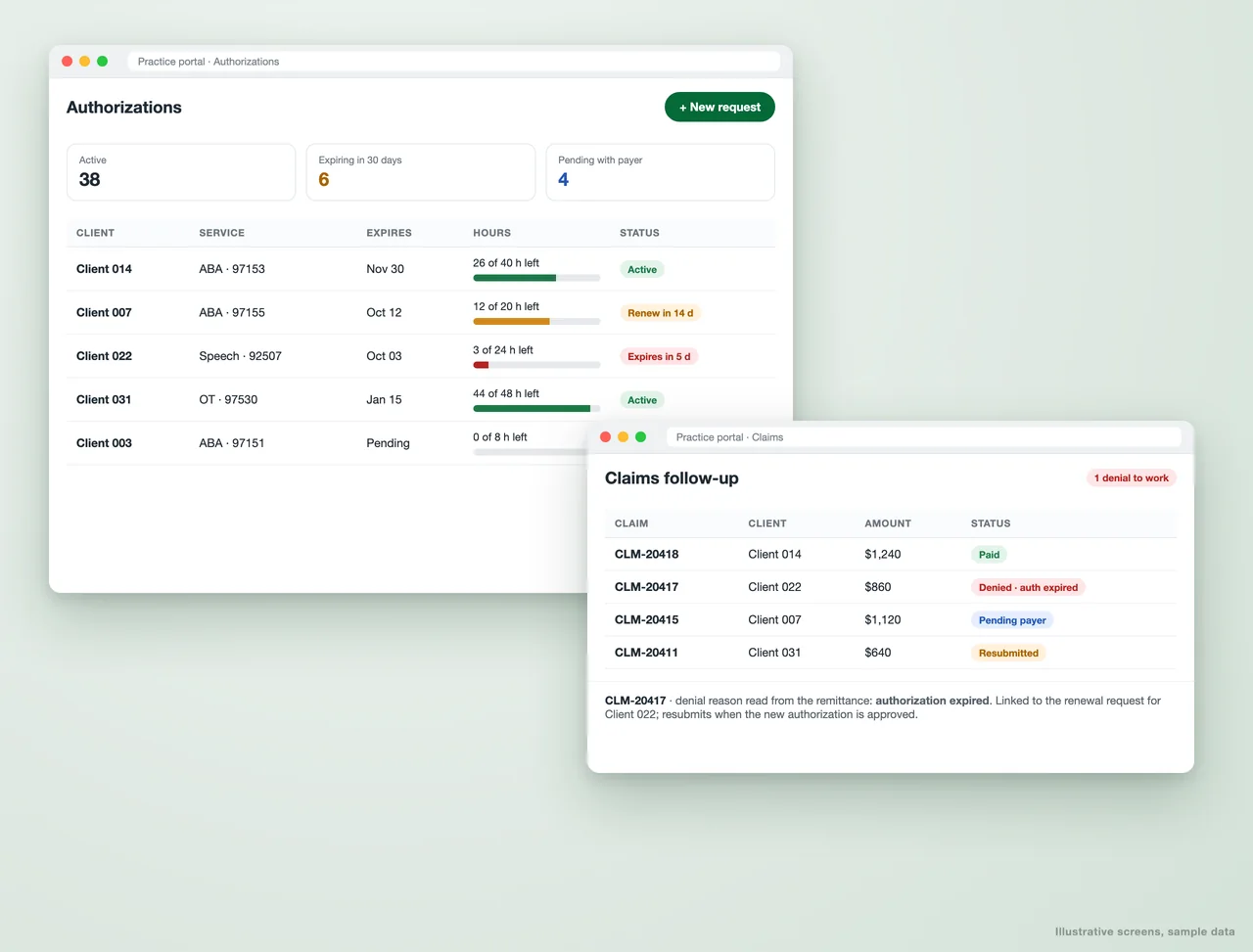
Authorizations tracked against hours used, renewals on time, and denials worked by reason.
Get a free proposal
Tell us what you need. A consultant replies within one working day.
01
Stop losing revenue to lapsed authorizations and unworked denials
For most therapy and outpatient practices, the expensive mistakes are not clinical. An authorization runs out while sessions carry on. A renewal request sits in someone's inbox. A claim is denied for a reason nobody records, so the same denial happens next month.
We automate the tracking around authorizations and claims. Every authorization is followed against the hours actually delivered, renewals start before coverage lapses, and denials are captured by reason and linked to their fix. Your team still makes the calls to payers; the system makes sure they are the right calls, made in time.
02
What gets automated
Hours used against hours approved
Delivered sessions counted against each authorization by client and service code, so nobody works past coverage by accident.
- Live remaining hours per client
- Warnings before a session exceeds coverage
- Works from your session or EHR export
Renewal alerts
Expiring authorizations flagged 30 and 14 days out, with the renewal request tracked until the payer approves it.
- Alerts to the right staff member
- Request status from draft to approved
- Supporting documents attached
Claim status follow-up
Every claim followed from submission to payment, with anything stuck past your threshold surfaced for action.
- Status from your clearinghouse or billing export
- Aged claims by payer
- Paid, pending, denied at a glance
Denials worked by reason
Denial reasons read from remittance files and grouped, so the causes you can fix, such as expired authorizations or missing modifiers, get fixed at the source.
- Denials grouped by cause
- Each denial linked to its fix
- Resubmissions tracked
Clean claims before submission
Sessions checked for the usual rejection causes before they go to billing: missing authorization, units over the approved amount, missing fields.
- Rules your biller agrees
- Exceptions listed, not buried
- Fewer first-pass rejections
Revenue visibility
Authorization coverage, claims in flight and denial rates on one dashboard for the practice owner.
- By payer, clinician and service
- Trends month over month
- Numbers that match your billing
03
Works with what you already use
04
Questions about authorization and claims automation
Do you submit authorizations or claims to payers?
Which practices is this for?
Do we need to change our billing system?
How is PHI protected?
Where does revenue slip in your practice?
Tell us how authorizations and claims are tracked today. We will come back with what automating the follow-up would look like.
A reply from a consultant, usually within one working day. Please do not include any patient information.
Part of our Healthcare Practice Automation hub. Start with our healthcare workflow automation.
Healthcare Practice Automation
More on healthcare workflow automation
Best 10 AI Tools for Prior Authorization Support
AI prior authorization software compared: 10 tools that automate PA submission, status tracking and approvals, and which teams each one suits.
Link EMR/EHR Data with Insurance Claims Through Automation
Link EMR/EHR Data with Insurance Claims Through Automation Healthcare providers and insurers often face the challenge of fragmented data. While Electronic Medical Records (EMR) and Electronic...
Dental Appointment Reminders That Cut No-Shows and Fill the Chair
Automated dental appointment reminders over WhatsApp and SMS that confirm visits, fill recall gaps and cut no-shows, using the tools your clinic already runs.
Case Study - Clinician Submission Portal (PTC Portal)
Metric Before After Submission errors High Significantly reduced Time clinicians spent entering data 10-15 mins/day < 3 mins/day Admin review effort Heavy Lightweight & structured...
ABA Practice Management, Built Around Your Clinic
Custom ABA practice management: session notes against authorized hours, caseloads, BSPs and quarterly reports, built on Google Workspace for your clinic.