


AppSheet
AppSheet Developer for Business Apps and Automation
Business apps built on Google AppSheet: field forms, approvals, estimates and portals your team runs from a phone.
Get a free proposal
Tell us what you need. A consultant replies within one working day.
01
What does an AppSheet developer do?
An AppSheet developer designs and builds business apps on Google AppSheet, Google's no-code app platform: they model your data in Google Sheets, Excel, AppSheet Database or a SQL database, build the views and forms your team uses on a phone or browser, set up security so each person sees only their own records, and automate the follow-ups (emails, PDFs, reminders, approvals and scheduled reports) so the app does the chasing.
Most small and mid-sized businesses already run on a spreadsheet: jobs, clients, stock, hours. AppSheet turns that spreadsheet into a proper app, with forms, approvals, PDFs and reminders, that your team uses from a phone or a browser. No app store, no custom code to maintain.
Anyone can build a first AppSheet app in an afternoon. The work an AppSheet developer adds is the part that decides whether the app survives real use: data modelled so it does not slow down or break at 5,000 rows, keys and references that keep reports consistent, security filters that hold up when a new starter joins, and automations that fire once and only once. We build for clients in the US, the UK, Europe, India and Australia, and we also work on Microsoft's equivalent through our Power Apps consulting service.
02
When AppSheet is the right tool, and when it is not
AppSheet is very good at a specific kind of app. Being honest about the edges saves you a rebuild later.
AppSheet is a strong fit when:
- Your team already uses Google Workspace. AppSheet Core is included in most paid Workspace editions, so the licence cost can be zero.
- The work is internal: field forms, inspections, job sheets, approvals, stock, task lists, simple client or case records.
- Your data already lives in Google Sheets or Excel and the process is clear, but people are copying, chasing and retyping.
- Users need to work on a phone, sometimes without signal, and capture photos, signatures, GPS or barcodes.
- You want something running in weeks, which your own staff can adjust later without a developer for every change.
AppSheet is the wrong tool when:
- You need full control over design and layout. AppSheet builds its screens from your data, and pixel-level branding is limited.
- The app is a public product for thousands of customers with sign-in, payments and complex user journeys. That is a job for custom software development.
- Data volumes are large and live in a spreadsheet. Sheets slow down well before their hard limits; a database fixes that, but Google's pricing page lists cloud database connections under the Enterprise Plus plan.
- You need heavy transactional logic, real-time collaboration on the same record, or complex calculations across many tables on every sync.
- Your company is standardised on Microsoft 365 and Dataverse, where Power Apps usually fits better.
If the answer is somewhere in between, we will say so in the first call, and compare AppSheet with the other options in our low-code development work.
03
What we build in AppSheet
Field and mobile forms
Inspections, site visits and job sheets filled in on a phone, with photos, signatures and GPS, even without signal.
- Works offline and syncs later
- Photo and signature capture
- Required fields so nothing is skipped
Estimates, quotes and invoices
Line items priced from your own rate card, totals and tax calculated, and a branded PDF emailed to the customer in one tap.
- PDF generated from a template
- Status from draft to paid
- Automatic payment reminders
Approval workflows
Requests that route to the right person, with the history kept: purchase orders, leave, expenses, discounts.
- Approve from an email or the app
- Escalation when nobody acts
- A full audit trail
Client and case portals
Caseloads, session logs and documents for service businesses, where each staff member sees only their own clients.
- Row-level security by user
- Documents generated from records
- Hours tracked against goals
Inventory and asset tracking
Stock in and out, barcode scanning, and low-stock alerts, on the spreadsheet you already keep.
- Barcode and QR scanning
- Reorder alerts by email
- Movement history per item
Scheduling and task management
Daily checklists and assignments for teams on shifts, so the manager sees what is done without walking the floor.
- Tasks assigned by person and time
- Completion tracked live
- Recurring tasks created automatically
04
AppSheet automation: bots, reports, notifications and approvals
Most of the value in an AppSheet app comes from what happens after someone taps Save. AppSheet automation is built from bots: a bot watches for an event (a record added, updated or deleted, or a schedule), checks a condition, and runs a process of steps. This is what we set up most often:
- Scheduled reports. A daily summary of open jobs, a weekly list of overdue invoices, a monthly report per client, generated as a PDF or an email and sent at a fixed time. Scheduled bots need the Core plan or above.
- Documents from records. Estimates, invoices, inspection reports and certificates built from a Google Docs template, saved to Drive and emailed in one step. PDF generation is available on every plan.
- Notifications. Email, SMS and push notifications are built into AppSheet. WhatsApp is not native: it needs a webhook to the WhatsApp Business Platform or a messaging provider, which carries that provider's own fees and template rules. Webhooks need Core or above.
- Approval flows. A purchase order, leave request or discount routes to the right approver, who approves in the app or from an action link in an email. Escalations fire if nobody acts, and the history stays on the record.
- Data changes. Status moves on when a condition is met, child records are created from a parent (for example a daily checklist from each dog's routine), and values are stamped with who changed them and when.
- OCR. AppSheet can read text from images of fixed-layout forms to fill in fields. Google lists OCR as an Enterprise Plus feature, it needs 4 to 10 example images to train, and it does not work offline, on business cards or on forms that use checkboxes. For messy documents we use other tools.
When the automation needs to reach systems AppSheet cannot connect to directly, we add Google Apps Script or an external workflow tool. That is the same kind of work we do in our business process automation service, applied to an AppSheet front end.
05
AppSheet examples from our own work
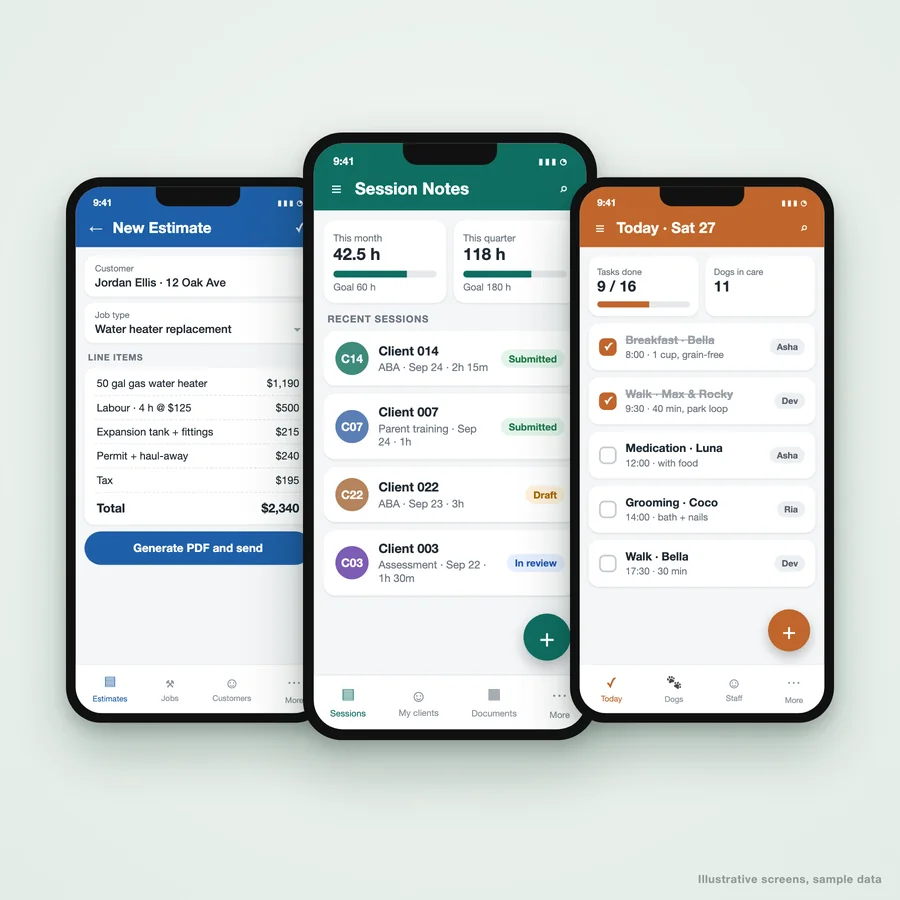
The best AppSheet examples are the ones running in a real business. These four apps are in daily use. Each started from a spreadsheet or a paper process, and each one now generates its own documents, reminders or checklists. Use the tabs to see what each app does and what it looks like.
06
AppSheet apps we have built
Client management portal for a therapy practice
A clinical practice ran sessions, caseloads and billing documents across spreadsheets and email. We replaced them with one AppSheet portal clinicians use every day.
- Session notes logged against authorised hours, with monthly and quarterly goals
- Each clinician sees only their own caseload; admins see the team
- Behavior Support Plans, quarterly and discharge reports generated from the record
- Reimbursements and call logs in the same app
Submission time fell from 10-15 minutes a day to under 3. Read the case study.
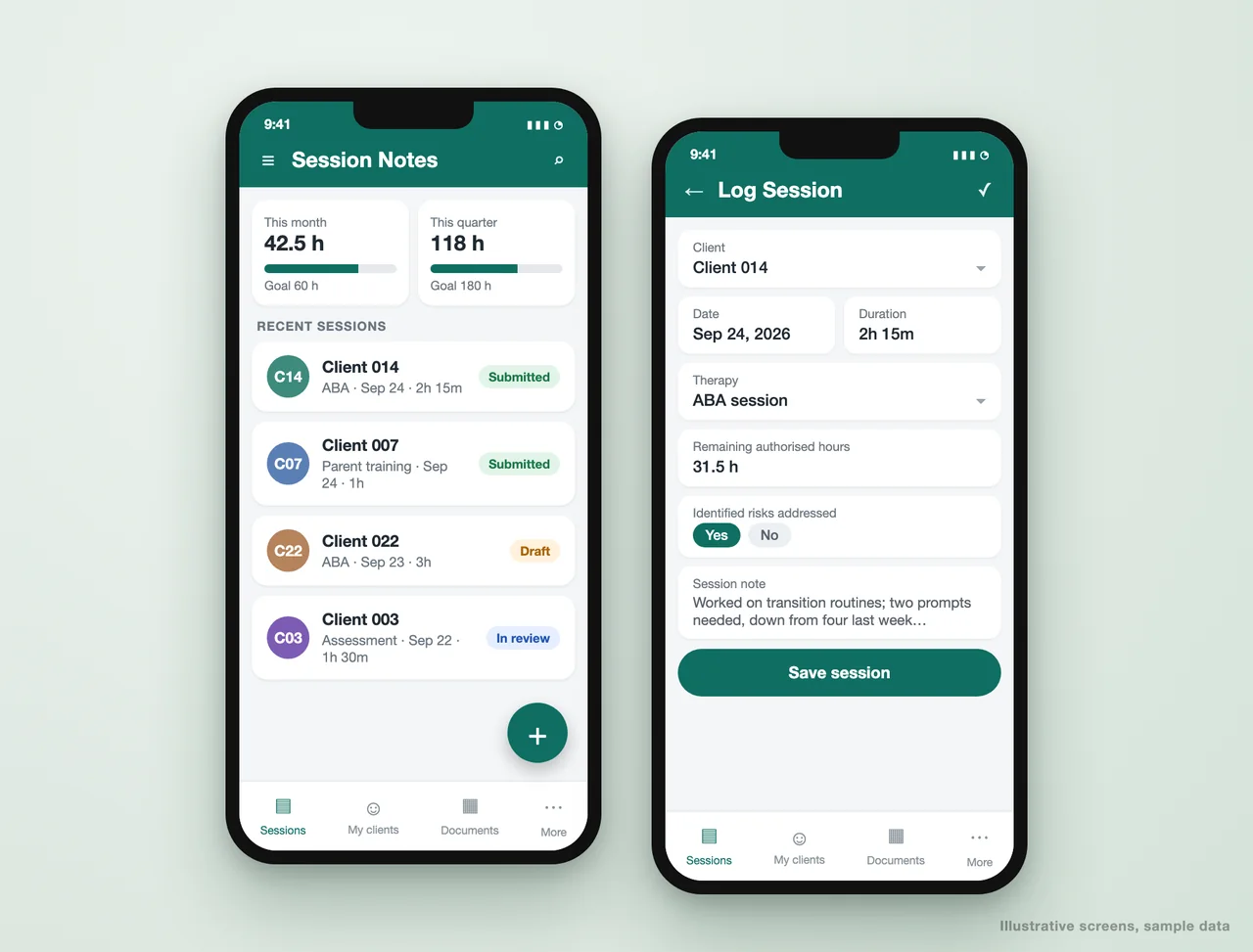
Estimate builder for a plumbing company
Estimates were typed up in the evening from notes taken on site. Now the plumber builds the estimate on a phone at the job and the customer has the PDF before they leave.
- Job types preload the usual parts and labour
- Prices pulled from the company's own rate card
- Estimate PDF generated and emailed in one tap
- Status tracked from draft to sent to accepted
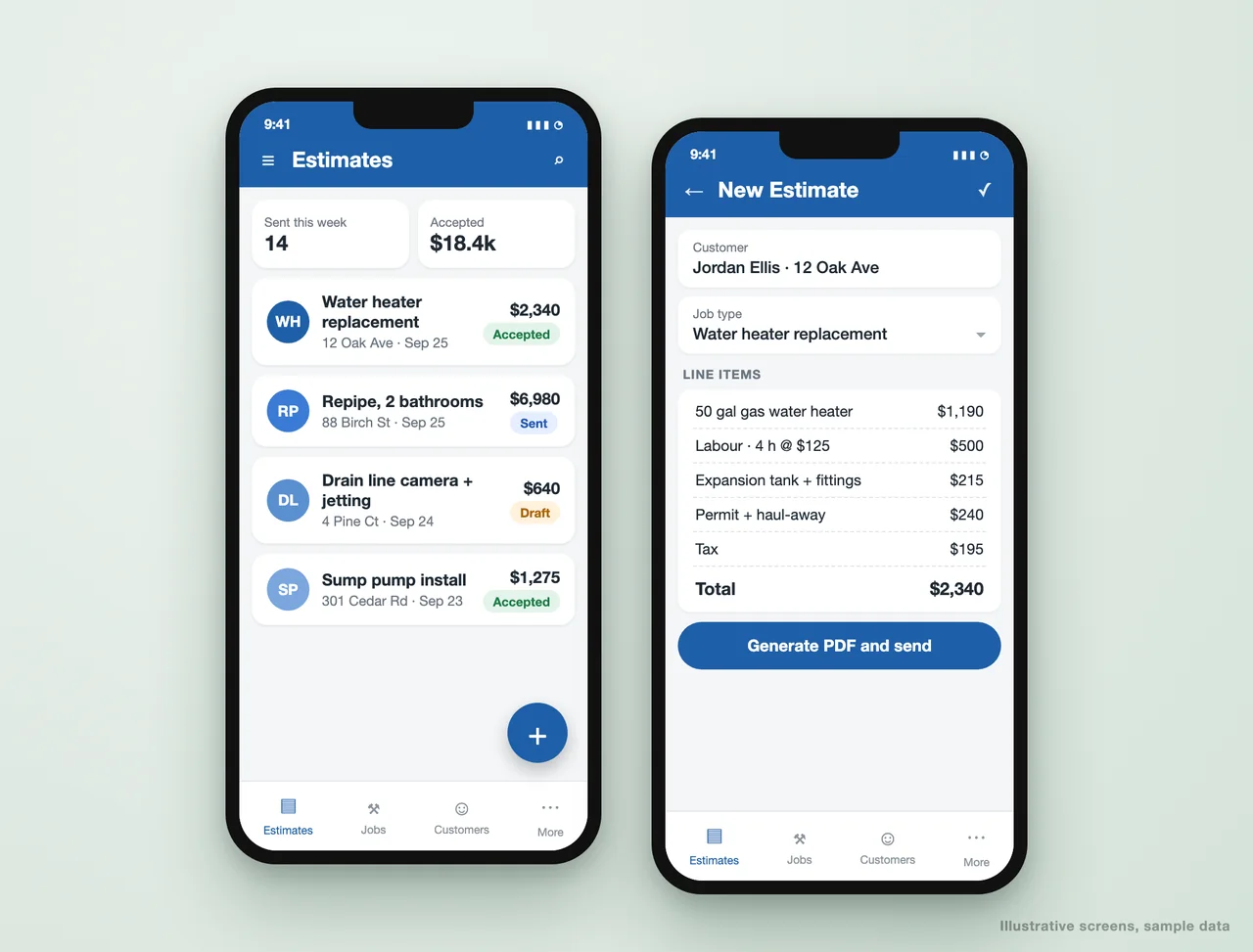
Daily task management for a dog care business
Feeding, walks, medication and grooming for every dog in care, assigned by staff member and time, so nothing is missed at shift change.
- A daily checklist built automatically from each dog's routine
- Tasks assigned to staff and ticked off live
- Profiles with feeding rules, medication and owner contacts
- Vaccination due dates flagged before they lapse
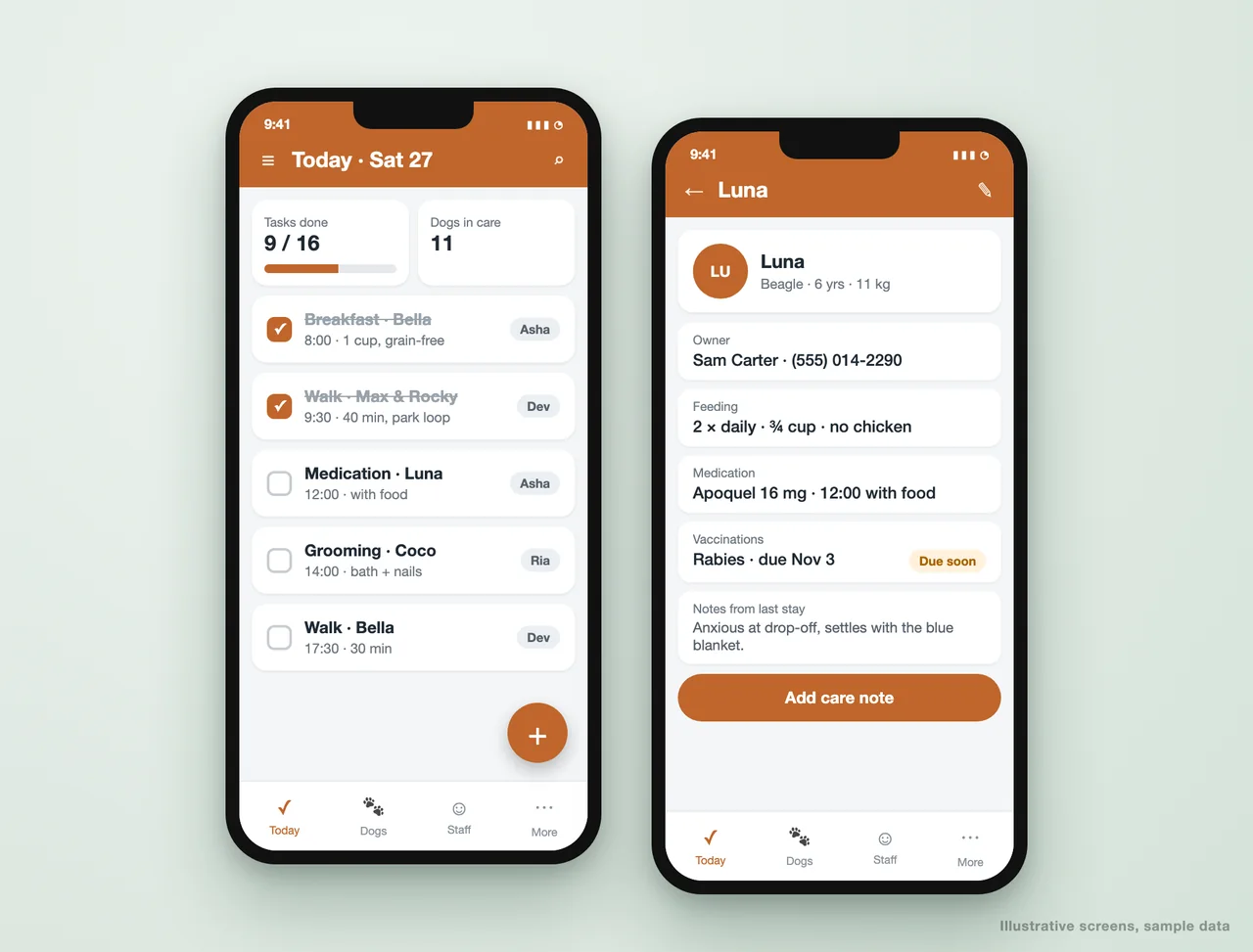
Invoicing and payment tracking
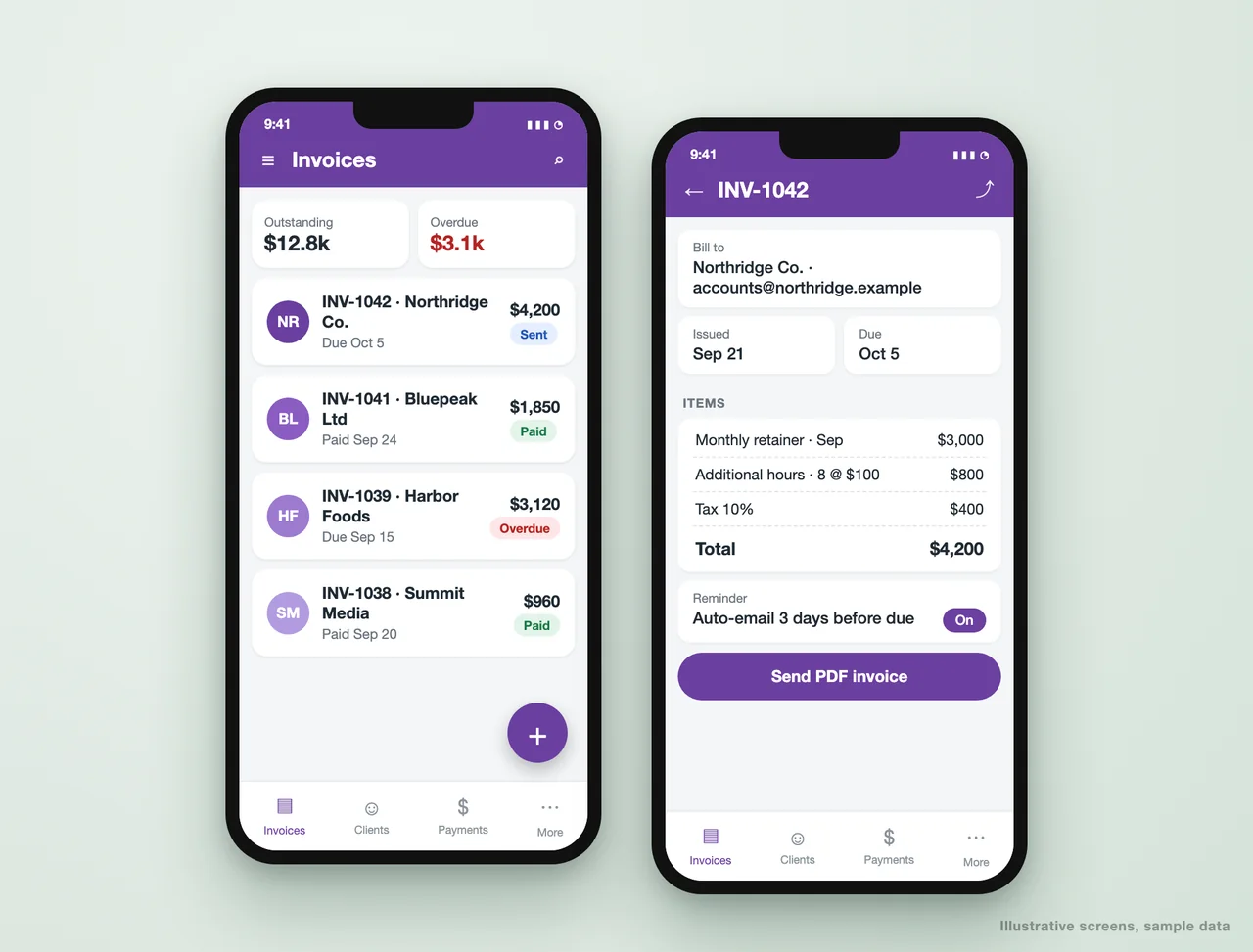
Invoices raised from the work already recorded, numbered, taxed and sent as PDFs, with what is outstanding and overdue visible at a glance.
- Invoice numbering and tax handled automatically
- PDF invoices emailed from the app
- Reminders sent before and after the due date
- Outstanding and overdue totals on the home screen
07
Where your AppSheet data can live
The data source matters more than any screen. It decides how fast the app syncs, how many rows it can handle and which plan you need. These are the options, with the plan Google lists for each on its AppSheet pricing page, as of October 2026.
| Data source | Good for | Plan |
|---|---|---|
| Google Sheets | Most small apps; easy for staff to read and fix | All plans |
| Excel on Microsoft 365, Dropbox or Box | Teams that live in Excel files | All plans |
| Airtable and Smartsheet | Teams already on those tools | All plans |
| AppSheet Database | Faster than a sheet, built into AppSheet | Starter 5 databases and Core 10, each up to 2,500 rows; Enterprise Plus 200 databases of up to 200,000 rows |
| Cloud databases (MySQL, PostgreSQL, SQL Server, Cloud SQL) | Larger apps and shared business data | Listed under Enterprise Plus |
| BigQuery, Apigee, OData, REST APIs | Enterprise data and other systems | Enterprise Plus |
Google Docs templates sit alongside all of these for every PDF the app produces. For most clients we start on Sheets or AppSheet Database and model the tables so the data can move to a database later without a rebuild.
08
AppSheet security and governance
A spreadsheet shared with the whole team has no security. An AppSheet app can have a lot, if it is set up deliberately. These are the controls we configure on every build:
- Required sign-in. Users sign in with Google, Microsoft or another supported provider, and only people on the app's user list get in. Without sign-in, AppSheet also counts every device as a separate guest user for licensing.
- User roles. AppSheet has Admin and User roles on the app's user list, and we add a staff table with your own roles (manager, clinician, technician) that drives what each person can see and do. Manage users by role is listed for Core and above.
- Security filters. A security filter decides which rows reach each user's device, for example only their own caseload or only their region's jobs. Rows that fail the filter are never sent to the phone. Security filters need Core or above.
- Table update modes and editable columns. Each table can allow or block adds, updates and deletes, per role, so a field user cannot delete an invoice.
- On-device encryption. Available on Core and above, so data cached for offline use is encrypted on the phone.
- Audit logs and version history. Listed on every plan, so you can see what changed in the app and roll back a bad release.
At the organisation level, a Google Workspace admin can turn AppSheet on or off for the organisation in the Google Admin console and manage licences there. Enterprise Plus adds governance controls on top: restricting who can create apps, governance policies for teams, automated app creator reports, user activity tracking and export of team audit logs to BigQuery. If your data is regulated, we design the app around these controls and around what your Workspace agreement covers, and we tell you where AppSheet is not the right place for the data.
09
AppSheet vs Power Apps
AppSheet and Microsoft Power Apps solve the same problem from two different ecosystems. The honest rule: pick the one that matches the suite you already pay for. This comparison uses each vendor's published information as of October 2026; both change their plans, so check before you buy.
| Google AppSheet | Microsoft Power Apps | |
|---|---|---|
| Best fit | Businesses on Google Workspace and spreadsheets | Businesses on Microsoft 365, SharePoint and Dataverse |
| Included with the suite | AppSheet Core is included in most paid Google Workspace editions | Some Microsoft 365 licences include limited Power Apps rights for Microsoft 365 data and standard connectors |
| Standalone price | Starter $5, Core $10, Enterprise Plus $20 per user per month | Power Apps Premium $20 per user per month, paid yearly ($12 with a 2,000 seat minimum); pay-as-you-go $10 per active user per app per month |
| Free building | Build and test with up to 10 test users | Free Developer Plan for building and testing, not production |
| How apps are built | No-code: the app is generated from your data, then refined with expressions | Canvas apps with Power Fx formulas, or model-driven apps on Dataverse; more design control, more to learn |
| Offline | Built in on every plan, with background sync | Supported, with more setup |
| Automation | Bots built into AppSheet | Power Automate, a separate product with its own licensing for premium flows |
| Public apps without sign-in | Publisher Pro at $50 per app per month, no sensitive data | Power Pages, licensed separately |
Prices are in US dollars as listed on Google's AppSheet pricing page and Microsoft's Power Apps pricing page. Microsoft also stopped selling the Power Apps per app plan to new customers through some channels from January 2, 2026. If you are already on Microsoft 365, read our Power Apps consulting page before choosing.
10
How an AppSheet build runs
Map the work, not the screens
One call on what the team does today, who does it and what goes wrong. The app follows the job, not the other way round. We also confirm which AppSheet plan the app needs before anything is built.
Model the data
Tables, keys and relationships set up properly, so the app stays fast and the reports agree. Most AppSheet apps that break were built on a flat sheet.
Build and test with your team
A working app on your data early, tested by the people who will use it, with a round of changes built in. Testing stays on the free prototype allowance of up to 10 test users.
Automate the follow-ups
PDFs, emails, reminders, scheduled reports and approvals wired in, so the app does the chasing.
Secure and deploy
Sign-in, roles and security filters checked user by user, then the app is deployed and licences are assigned to the people who use it.
Hand it over
You own the app and the data. A short guide and a walkthrough for the team, and the option of a support retainer.
11
What AppSheet app development costs
There are two costs: Google's licences and the build. Licences start at $5 per user per month for Starter, $10 for Core (included in most paid Workspace editions) and $20 for Enterprise Plus, as listed by Google in October 2026, and our AppSheet pricing guide works through real examples for 5, 25 and 100 users. The build is quoted as a fixed scope after the first call, and depends mainly on the number of tables, roles, automations and integrations, not on the number of screens.
12
AppSheet questions we are asked
What does an AppSheet developer do?
How much does an AppSheet developer cost?
Is AppSheet free?
AppSheet vs Power Apps: which should I use?
Can AppSheet work offline?
Can AppSheet send WhatsApp messages?
Do you have AppSheet templates or examples?
What if we outgrow AppSheet?
Tell us what the app has to do
Send us the spreadsheet or process your team struggles with. We will come back with how it would work in AppSheet, which plan it needs, and what the build takes.
A reply from a consultant, usually within one working day.
Part of our Business Process Automation hub. Start with our business automation services.
Business Process Automation
More on business automation services
Power Apps Developer and Power Platform Consultants
Power Apps developer and Power Platform consultants: canvas and model-driven apps, Power Automate flows and Dataverse, with licensing and ALM done right.
Low-Code and No-Code App Development
Low-code and no-code development services: business apps on AppSheet, Power Apps and other platforms, delivered in weeks and owned by you.
Google Sheets Automation
How Google Sheets Automations can Benefit Businesses How Google Sheets Automation Works Google Sheets Automation involves the use of Google Apps Script, APIs, and integrations to automate...
ABA Practice Management, Built Around Your Clinic
Custom ABA practice management software: session notes against authorized hours, BSPs, quarterly reports and billing cycles, built around your clinic.
Case Study: An ABA Practice Management System for PTC
Metric Before After Submission errors High Significantly reduced Time clinicians spent entering data 10-15 mins/day < 3 mins/day Admin review effort Heavy Lightweight & structured...