

Power BI
Power BI Consulting and Dashboard Development
Power BI built from the data model up: fast, correct, secure and yours to extend.
Get a free proposal
Tell us what you need. A consultant replies within one working day.
01
Power BI done properly, from the data model up
Most Power BI problems are not chart problems. Reports are slow, numbers disagree with finance, and every new question needs a new report, because the data model underneath was never designed. A Power BI consultant earns their fee there, not in the colours.
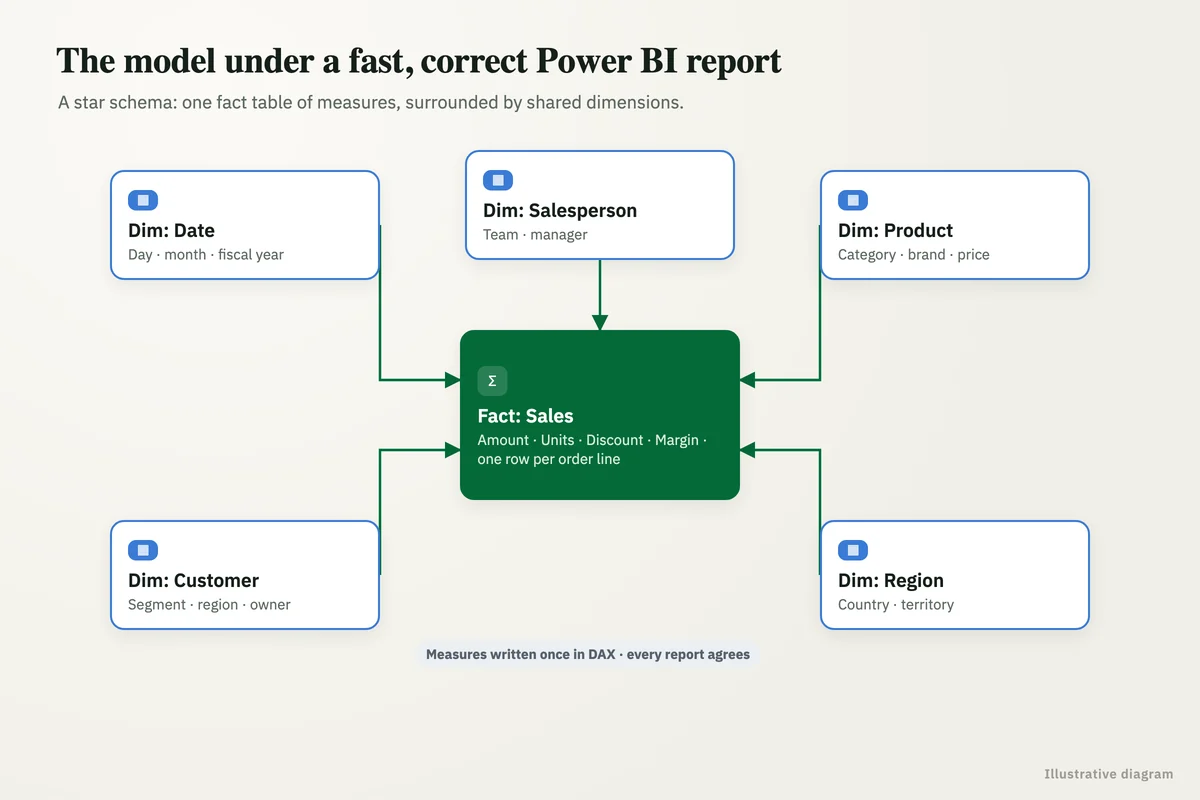
We build Power BI the way it is meant to work: a clean model on reconciled data, measures defined once in DAX, security set so each person sees only their own numbers, and dashboards that answer the questions leadership actually asks. Then we hand it over so your team can extend it.
02
Our Power BI consulting services
Dashboard and report development
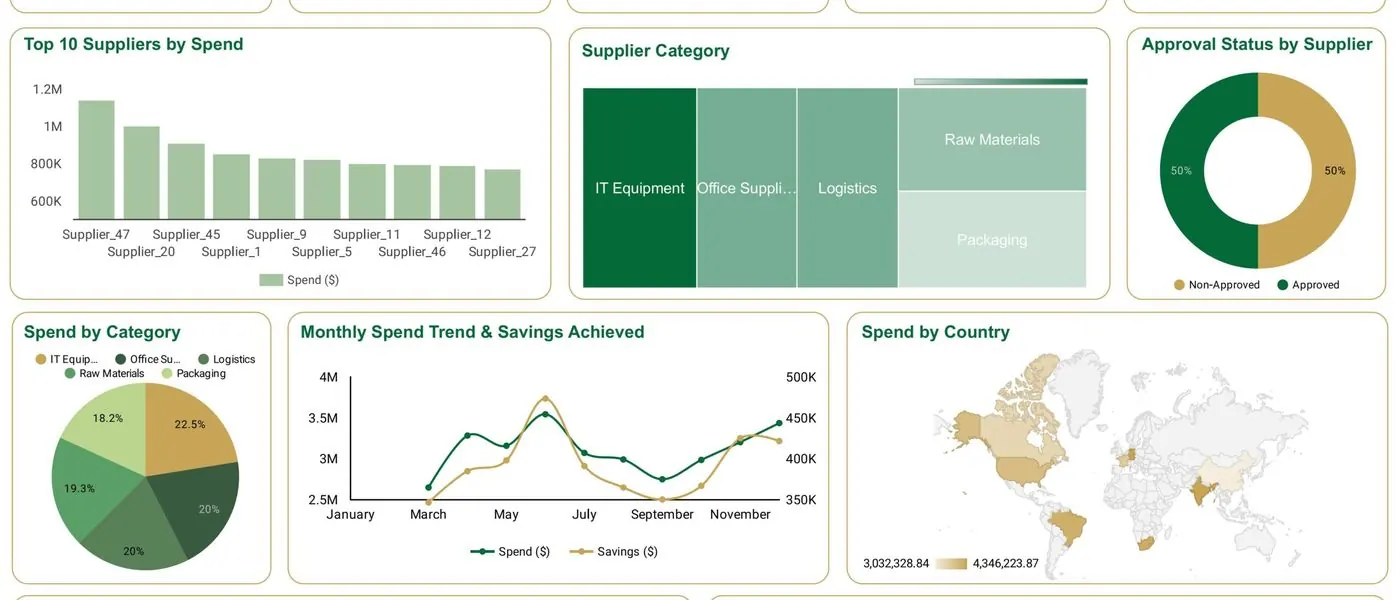
Executive, sales, finance and operations dashboards built on your own data.
- KPIs agreed before building
- Drill-through to detail
- Mobile-friendly layouts
Data modelling and DAX
Star-schema models and measures written once, so every report agrees and stays fast.
- Star schema design
- Reusable DAX measures
- Incremental refresh
Security and governance
Row-level security, workspaces and deployment pipelines set up for how your organisation shares data.
- Row-level security by role
- Workspace and app structure
- Certified datasets
Performance tuning
Slow reports diagnosed and fixed at the model, query and visual level.
- Model size reduction
- Query and DAX optimisation
- Refresh reliability
Migration to Power BI
Excel reporting, Tableau or Looker Studio moved to Power BI, with numbers reconciled against the old output.
- Report inventory and mapping
- Side-by-side reconciliation
- User training
Training and support
Your analysts trained to extend the model, with a support option for anything bigger.
- Hands-on training on your model
- Written documentation
- Monthly support retainer
03
Data sources we connect
04
Power BI licensing, explained
Power BI Desktop: free
Building reports is free. Sharing them is what needs a licence.
Pro: about $14 per user a month
Needed by everyone who publishes or views shared content, unless the content sits in Premium or Fabric capacity. Included in Microsoft 365 E5.
Premium Per User: about $24 per user a month
Adds larger models, more frequent refresh and advanced features for teams that need them.
Fabric capacity
For larger organisations: capacity-based pricing that lets free users view content. Worth modelling once viewers outnumber builders.
05
Power BI vs Looker Studio
Both build good dashboards. They differ most in cost to view, modelling depth and security.
| Power BI | Looker Studio | |
|---|---|---|
| Cost to view | Pro licence per viewer (about $14 a month) unless content is in Premium or Fabric capacity | Free to view |
| Data modelling | Deep: star schemas, DAX measures, relationships | Light: blends and calculated fields |
| Row-level security | Built in | Limited; usually handled in BigQuery |
| Ecosystem | Microsoft 365, Excel, SQL Server, Azure | Google Workspace, GA4, Google Ads, BigQuery |
| Best for | Microsoft organisations and complex, secured reporting | Google-centric teams and reports shared widely |
06
Power BI consulting questions
What does a Power BI consultant do?
Power BI or Looker Studio?
Can you fix an existing Power BI setup?
Do we own the reports?
Tell us what your reports have to answer
Send us the questions leadership keeps asking and where the data lives. We will come back with how Power BI would answer them and what it takes.
A reply from a consultant, usually within one working day.
Part of our KPI Dashboards and BI hub. Start with our KPI dashboard development.
KPI Dashboards and BI
More on KPI dashboard development
Power Apps and Power Platform Consulting
Power Apps developers and Power Platform consultants: business apps, Power Automate flows and Dataverse solutions built in your Microsoft 365 tenant.
Looker Studio / Data Studio Agency
Why Your Business Needs a Looker Studio / Data Studio Dashboard How Businesses Like Yours Use Dashboards to Drive Results What Makes Our Dashboards a Growth Engine Enhanced Decision-Making Turn...
WolfSight
Why Your Business Needs a Dashboard How Businesses Like Yours Use Our Dashboards to Drive Results What Makes Our Dashboards a Growth Engine Enhanced Decision-Making Turn fragmented data into...
Business Performance Dashboard
How Business Performance Dashboard can Benefit Businesses How Business Performance Dashboard for Startups Works A Business Performance Dashboard for Startups is a comprehensive data visualization...
Tableau Consulting and Dashboard Development
Tableau consulting services: dashboard development, data sources, Cloud or Server governance, performance tuning, Tableau AI and Tableau to Power BI migration.