

Why renewals slip at insurance agencies
Insurance renewal reminders are the easiest revenue an agency has, and in many agencies they still depend on one person and one spreadsheet. Someone filters the policy register by expiry date, copies phone numbers into WhatsApp, and messages clients one at a time. In a busy month, with new business and claims landing at the same desk, the list gets worked late or only halfway.
A missed renewal rarely announces itself. The client does not call to cancel. They get a cheaper quote from someone else who did reach out, or the policy simply lapses and nobody notices until a claim comes in. Every renewal that lapses quietly is a client the agency already won, lost for want of a timely message.
This workflow takes the chasing off your team. It watches every policy in your register, sends renewal reminders on a schedule, collects the updated details and the payment, tells the insurer or your team what to issue, and flags the clients who have gone quiet so an advisor can make the one call that matters.
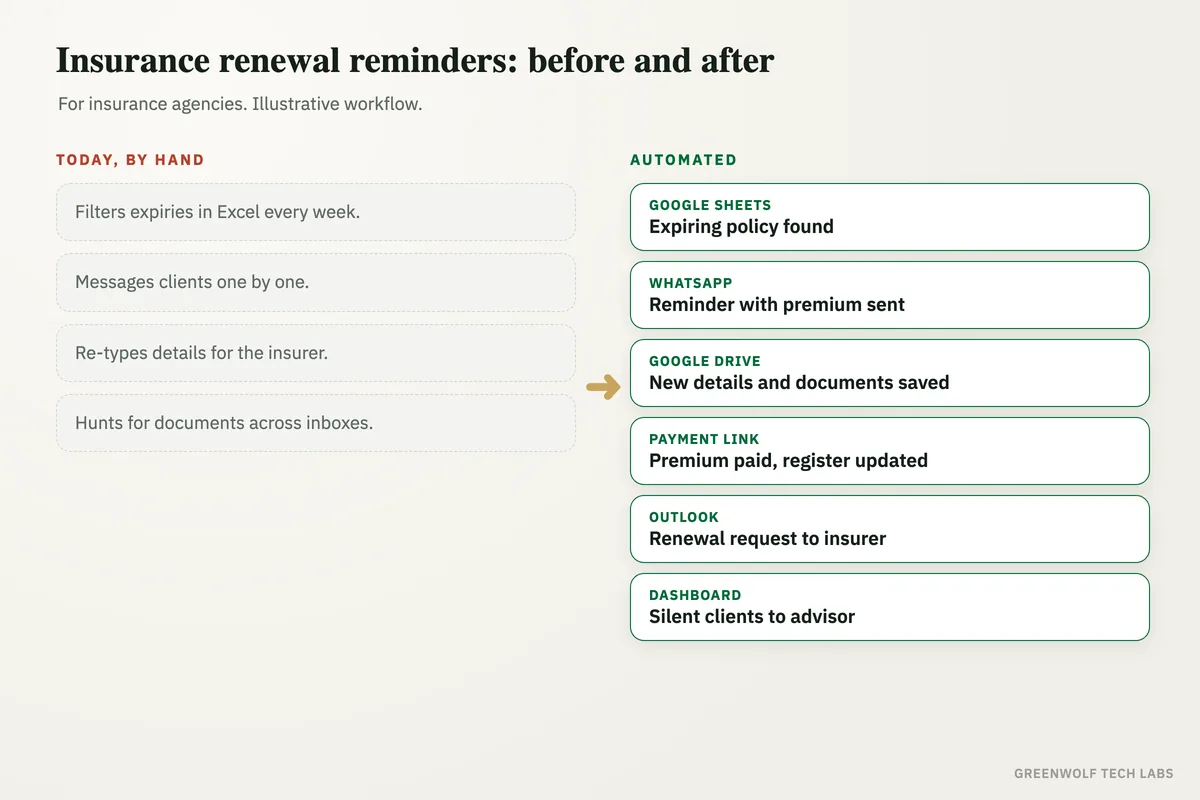
What gets automated
Reminders on schedule
Every client with a policy nearing expiry gets a reminder well before the date, then again closer to it, on WhatsApp, SMS or email.
- Reminders at set intervals before expiry
- Policy type, insurer and date in the message
- WhatsApp, SMS or email
Renewal details collected
Clients confirm or update what has changed, such as vehicle, sum insured, members or address, by replying or filling a short form.
- Change of details captured
- Documents uploaded to one folder
- Saved against the policy record
Payments confirmed
The renewal message carries the premium and a payment link, and the paid status is written back to the register on its own.
- Premium and link in the message
- Paid status updated
- Receipt sent to the client
Insurer and team updated
Once details and payment are in, the renewal request goes to the insurer portal desk or the assigned advisor with everything attached.
- Renewal pack prepared
- Assigned to the right advisor
- Nothing retyped
At-risk policies flagged
Clients who have not replied or paid as expiry gets close land on a short call list, so an advisor steps in before the policy lapses.
- No-reply clients surfaced
- Sorted by days to expiry
- Advisor call list each morning
Renewal book on one screen
Due, reminded, renewed and lapsed, by month, by insurer and by advisor, on a dashboard the principal can check any time.
- Renewal rate over time
- Premium due this month
- By line of business
How the workflow runs
Google Sheets or your CRM: expiries found
Each morning the workflow reads the policy register and picks every policy expiring in the coming weeks.
WhatsApp: reminder sent
The client gets a personal renewal reminder with the policy, insurer, expiry date and premium, plus a link to confirm changes.
Form and Google Drive: details collected
Updated details and documents land in the client's folder and on the policy record, with nothing typed twice.
Payment link: premium paid
The client pays through the link and the register is marked paid, with a receipt sent back on the same chat.
Gmail or Outlook: renewal request sent
A complete renewal request goes to the insurer desk or the advisor, ready to issue.
Dashboard: book updated
Renewed, pending and at-risk policies update live, and silent clients go to an advisor call list.
Who it is for
What you need to start
You do not need a new agency management system. Most agencies start with what they already run: the policy register in Excel, Google Sheets, Zoho or HubSpot, a WhatsApp Business number, a shared mailbox in Gmail or Outlook, and the payment links you already send.
The data is simple. Client name, phone, email, policy number, insurer, line of business, expiry date, premium and the advisor who owns the client. From that the workflow knows who to remind, when, with what amount, and who to alert if a renewal stalls. Tools like n8n, Zapier or Make connect the pieces, and an AI model can read replies and documents to pull out the details that changed.
A first version, scheduled reminders on one channel with an advisor call list, is usually a matter of days. Document collection, payment tracking and the renewal dashboard follow once the team sees renewals coming in without the chasing.
Questions about insurance renewal reminders
How early should insurance renewal reminders go out?
Can renewal reminders be sent on WhatsApp?
Do we need to replace our agency software or CRM?
What happens when a client does not respond?
Is client data kept secure?
Where do your renewals slip?
Tell us how renewals are tracked and chased today and we will map it in a short digital audit, then show what automating the reminders and follow-up would look like for your agency.
Part of our Business Process Automation hub. Start with our business automation services.