

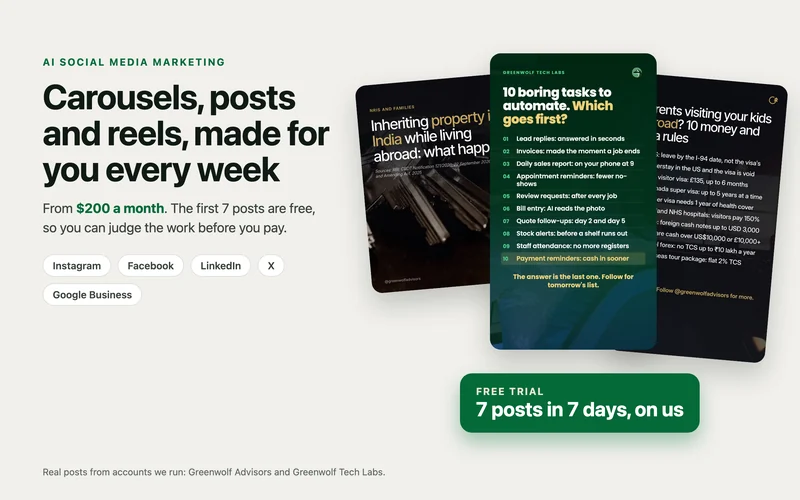
 Real posts we made
AI social media marketing
Your social media, done for you from $200 a month
- Carousels, posts and reels researched and designed on your brand
- Every post checked by a person before it goes out
- Published on your platforms, with a report on what worked
Month to month.
Why most business pages stop posting videos
Automated social media videos solve a problem almost every business owner knows: you should post a short video every day, and you never have the time. Reels and Shorts are where new customers find you now, but each one needs a topic, a script, a voice, editing, subtitles, a caption and a post on three different apps. For a small team that is an hour or two a day, so it happens for a week and then stops.
The usual fixes do not last. A freelancer posts for a month and then gets busy. The team records a few clips, nobody edits them, and the folder fills up. Someone remembers to post on Instagram but forgets YouTube and Facebook. And nobody looks at which videos actually got watched, so the next topics are guesses.
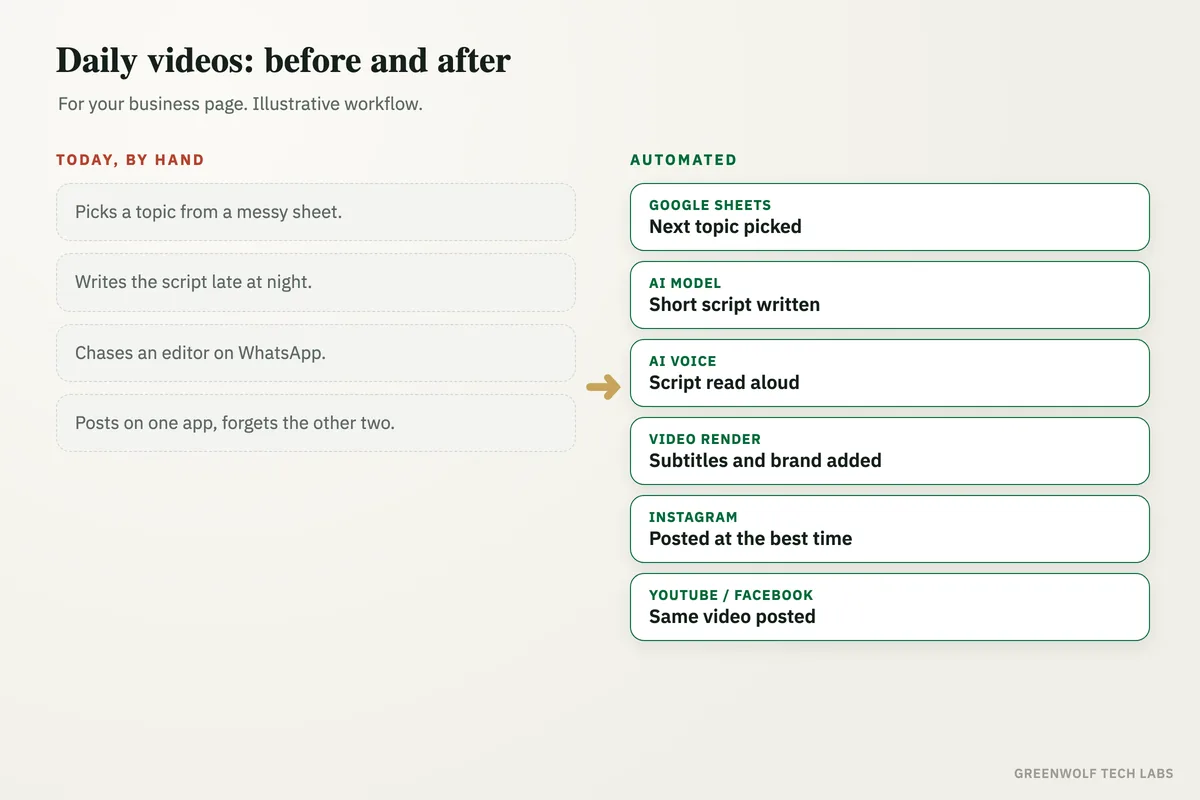
This workflow runs the whole chain every morning. It picks the next topic from your content plan in Google Sheets, an AI model writes a short script in simple words, an AI voice reads it, the video is rendered with subtitles and your brand, and it is posted to Instagram, YouTube and Facebook at the right time. Each week the views and comments come back as a short report, so the next topics get better. The videos on our own pages are made this way.
What gets automated
Next topic picked every morning
The workflow reads your content plan in Google Sheets or Excel and takes the next topic in line, so nobody has to decide what to post.
- Your own topic list
- Skips topics already used
- Holidays and offers planned in
Script written in simple words
An AI model writes a short script for the topic in your tone, with a hook in the first line and one clear ask at the end.
- Short spoken lines
- Your words and offers
- Checked against your rules
Voice, video and subtitles made
An AI voice reads the script and the video is built with subtitles, your colours, your logo and a cover image.
- Clear AI voice
- Subtitles on every line
- Brand colours and logo
Posted to every page
The same video goes to Instagram Reels, YouTube Shorts and Facebook Reels, each with its own caption and hashtags, at the time your audience is online.
- Instagram, YouTube, Facebook
- Captions written per app
- Posted on schedule
A person checks before it goes live
If you want, every video lands in a review folder first and goes out only after someone approves it on WhatsApp or email.
- Optional approval step
- One tap to approve
- Easy to fix a line
Weekly report on what worked
Views, watch time, saves and comments for each video come back into one sheet or dashboard every week, so the next topics follow what people watched.
- Top videos of the week
- Comments in one place
- Topics ranked for next week
How the workflow runs
Schedule: starts every morning
At a set time each day the workflow wakes up on its own, with no one pressing a button.
Google Sheets: next topic picked
The next topic is taken from your content plan, with any notes such as an offer or a product to mention.
AI model: script written
A short script is written in simple words, with a strong first line and one ask at the end.
AI voice: script read aloud
A clear AI voice reads the script, at an easy pace for people watching on their phones.
Video render: video made
The video is built with subtitles, your brand colours and logo, and a cover image.
Instagram: Reel posted
The video goes out as a Reel with its caption and hashtags at the best time for your followers.
YouTube and Facebook: posted too
The same video goes out as a YouTube Short and a Facebook Reel, each with its own title and caption.
Report: what worked this week
Each week views, saves and comments come back into one sheet, and the best topics shape the next plan.
Who it is for
What you need to start
You keep the accounts you already have: your Instagram business or creator account, your YouTube channel and your Facebook Page. The content plan lives in Google Sheets or Excel. The workflow sits between them, built on tools such as n8n or Make, with an AI model for the script, an AI voice for the narration and a video renderer for the final cut.
The data is simple: a list of topics your customers care about, your logo and brand colours, a few lines on how you talk to customers, and any words or claims you never want used. If you do not have a topic list yet, building the first one from your customers' most common questions is part of the setup.
A first version that writes, voices and renders a video for a person to approve usually takes a couple of weeks. Posting to all three platforms on a schedule and the weekly report follow once you are happy with how the videos look and sound.
Want the posts made for you? Start with 7 free
If you would rather hand the whole job over than run the tools yourself, our AI social media marketing service researches, writes, designs and schedules carousels, single posts and reels for you, from $200 a month. We make the first 7 posts free, on your brand, so you can judge the work before you pay anything.
Questions about automated social media videos
Can social media videos really be made and posted automatically?
Do I need to be on camera?
Will the videos sound like my business?
Which platforms can it post to?
How do I know if the videos are working?
Want a video on your page every day?
Book a digital audit. Tell us which platforms you post on and how videos get made today, and we will map what automated social media videos would look like for your business.
Part of our Digital Marketing hub. Start with our digital marketing services.