

Why the daily site report is always late
A construction daily report should tell the office what happened on site today: who turned up, what got done, what material came in and what is holding the work up. On most sites it does not arrive as a report at all. It arrives as forty WhatsApp messages from three supervisors: photos, voice notes, a labour count typed in a hurry and a line about cement running short.
Someone in the office then scrolls the group, copies the numbers into Excel, renames the photos into folders and writes the report for the client or the project manager. It is done late in the evening, or the next morning, and by then a small problem on site has turned into a lost day. When a client asks what happened on a date last month, the answer is buried in a chat.
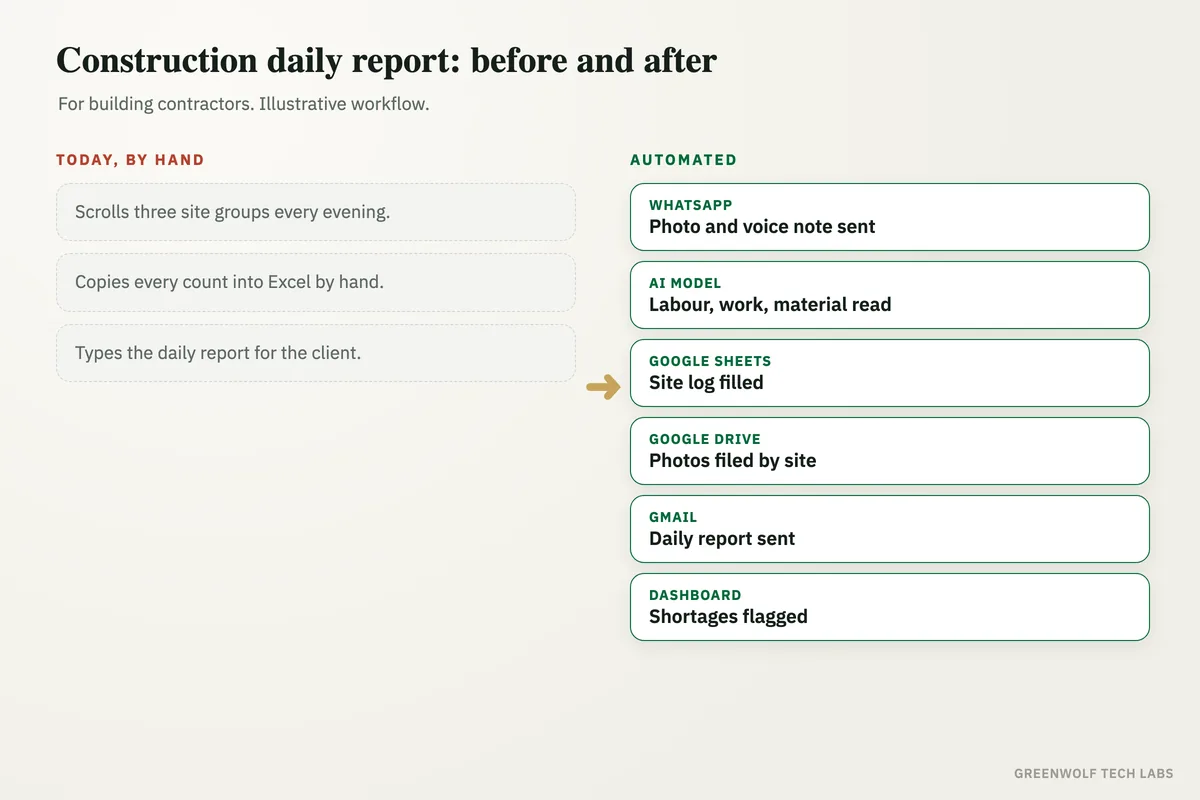
This workflow takes the copying out of the job. Supervisors keep sending updates on WhatsApp the way they already do. The system reads each message, photo and voice note, files it against the right site and date, fills the daily report on its own and sends it to the people who need it, with delays and shortages flagged the same day.
What gets automated
Site updates collected
Messages, photos and voice notes that supervisors already send on WhatsApp are picked up as they arrive, with the site and the sender known.
- Text, photos and voice notes
- One number or group per site
- Nothing new for the supervisor to learn
Details pulled out
An AI model reads each update and pulls out labour on site, work done, material received, equipment used and any issue raised.
- Voice notes turned into text
- Hindi and English both read
- Unclear notes sent back as a question
Site log kept
Every update becomes a dated row in a Google Sheet or Excel site log, so each day on each site has one clear record.
- Labour count by trade
- Work done against the plan
- Material in and material short
Daily report built
At a set time each evening, the day's entries and photos are put into one daily report in your format and saved as a PDF.
- Your logo and layout
- Photos placed by activity
- Saved to the project folder in Google Drive
Problems flagged
Material shortages, idle labour, rain stoppages and missing updates are flagged to the project manager the same day, not at the weekly meeting.
- Shortage sent to purchase
- No update by a set time flagged
- Owner named for each issue
Client updates sent
The client or architect gets the daily or weekly progress report by email or WhatsApp on schedule, without anyone putting it together by hand.
- Daily or weekly, your choice
- Same report for everyone
- History kept for every date
How the workflow runs
WhatsApp: site update sent
The supervisor sends a photo, a voice note or a short message from site, the same way they do today.
AI model: details read
Labour count, work done, material and issues are pulled out of the message and the voice note is turned into text.
Google Sheets: site log updated
The details land in the right site and date in the site log, and photos are saved to the project folder.
Google Docs or PDF: daily report built
At day end the report is filled from the log in your format, with the photos in place.
Gmail or WhatsApp: report sent
The project manager and the client get the report, and any shortage or delay goes to the right person.
Dashboard: every site on one screen
The owner sees labour, progress and open issues across all sites without calling anyone.
Who it is for
What you need to start
You do not need a new construction app or new phones on site. The workflow runs on what your team already uses: a WhatsApp Business number or a WhatsApp group per site, a Google Sheet or Excel file for the site log, Google Drive or OneDrive for photos, and Gmail or Outlook to send reports. If you already use a project tool such as Zoho Projects, it can write there as well.
The data is what your supervisors already report: site name, date, labour by trade, work done, material received and issues. You share a sample of your current daily report format, and the list of sites and who supervises each one. Tools like n8n, Zapier or Make connect the steps, and an AI model reads the photos, voice notes and short messages.
A first version, WhatsApp updates into a site log with an evening report, is usually a matter of days to a couple of weeks depending on how many sites and report formats you have. Alerts, client reports and the owner dashboard follow once the team trusts the log.
Questions about construction daily reports
What should a construction daily report include?
Can a daily site report be made from WhatsApp messages?
Do supervisors need to learn a new app?
Can it read voice notes in Hindi or other languages?
How is this different from construction daily report software?
How do your site updates reach the office today?
Tell us how your supervisors report from site and how the daily report gets made, and we will map it in a short digital audit, then show what a report that builds itself would look like for your projects.
Part of our Business Process Automation hub. Start with our business automation services.