

Why reviews pile up and nothing changes
Customer review analysis is the job almost every business skips: reading every review and every piece of feedback, and working out what customers keep complaining about. Reviews land on Google, on Amazon or another marketplace, in WhatsApp chats and in email replies. The 1-star ones get a quick reply, the 5-star ones get a thank you, and the hundreds in between are never read as a whole.
So the same complaint can sit there for months. Late deliveries, slow replies on the phone, a billing mistake that keeps happening. Each review looks like a one-off, and nobody has time to count how often the same problem comes up or which one costs the most customers.
This workflow reads every review and every feedback message as it comes in, groups them into themes, counts each theme and keeps the customers' own words. On the 1st of every month the owner gets the top five things to fix, ranked, with real quotes for each, and angry reviews reach a person the same day.
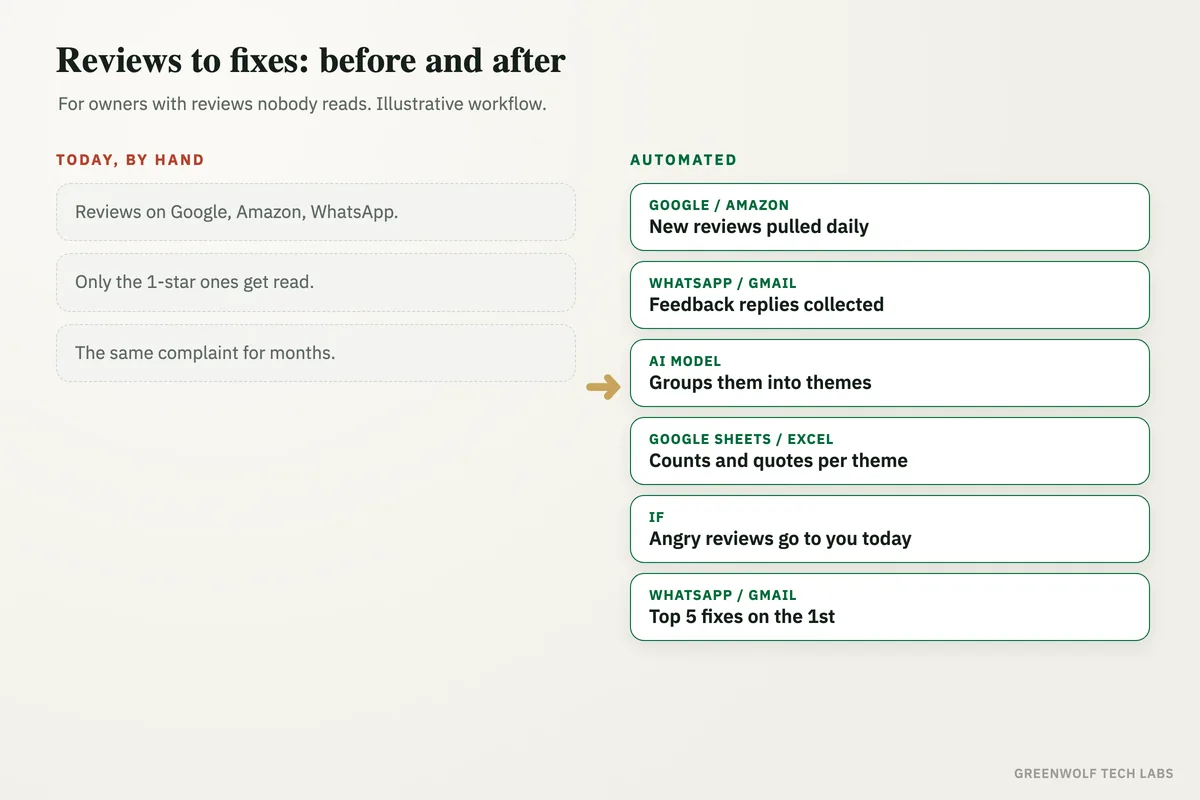
What gets automated
Collecting every review
New reviews from Google Business Profile and marketplaces, plus feedback from WhatsApp and email, are pulled into one list every day.
- Amazon
Tagging each review
AI reads each review and tags its theme, such as late delivery, slow replies, product quality, price or billing, using a theme list you agree once.
- Themes
- Tags
- Your list
Counting the themes
Each theme is counted for the month and compared with last month, so you see which problems are growing and which ones your fixes solved.
- This month
- Last month
- Growing
Keeping the customer's words
The clearest quotes for each theme are saved next to the count, so the team reads what customers actually said, not a score.
- Quotes
- Examples
Angry reviews, same day
Very unhappy reviews and messages go to the owner or manager the same day with a drafted reply, so nobody waits a month for an answer.
- 1 star
- Complaints
- Draft reply
The monthly fix list
On the 1st, the top five themes arrive as a short ranked list with counts, quotes and a suggested fix for each.
- Top 5
- Ranked
- Owner
How the workflow runs
Google Business Profile and marketplaces: new reviews are pulled
Every day, new reviews and star ratings are collected from your Google Business Profile and the marketplaces you sell on, with the date and the order where there is one.
WhatsApp and Gmail or Outlook: feedback is added
Feedback replies on WhatsApp and email, and answers from any feedback form, are added to the same list so nothing sits in one person's phone.
AI model: each review gets a theme
ChatGPT or Claude reads each review, tags it with one or two themes from your list and marks how unhappy the customer is. New themes are suggested, not added on their own.
Google Sheets or Excel: counts and quotes per theme
Every review is logged with its theme. The sheet counts each theme for the month, compares it with last month and keeps the clearest quotes.
If step: angry reviews go to a person
Reviews marked very unhappy, or that mention a refund, a safety issue or legal action, go to the owner or manager the same day with a drafted reply to approve.
WhatsApp, Gmail or Power BI: the top five fixes
On the 1st, the owner gets the five biggest themes, ranked, with counts, quotes and a suggested fix, as a message, an email or a Power BI page.
Who it is for
What you need to start
You keep the tools you already use: your Google Business Profile, the marketplaces you sell on, WhatsApp Business (through a provider such as WATI or Twilio for the API), Gmail or Outlook, and Google Sheets or Excel for the log. The workflow runs on n8n, Make or Zapier, and an AI model such as ChatGPT or Claude does the reading and tagging.
The most important part of the build is your theme list: the handful of things customers usually praise or complain about in your business, what counts as an angry review and who should hear about it the same day. We test the tagging on your past reviews until it matches how your team would tag them by hand. If you also want more reviews coming in, Google review request automation asks every customer at the right moment, and the bad Google review checklist covers what to do when a 1-star review lands.
A typical build is planned around your real review sources and theme list, tested on past months of reviews, and goes live over a few weeks.
Questions about customer review analysis
What is customer review analysis?
Can AI analyze Google reviews?
Can it include WhatsApp and email feedback?
Does AI reply to reviews on its own?
How often should I review customer feedback?
Do you know the one complaint your customers repeat most?
Book a digital audit. We will look at where your reviews and feedback land today and show what customer review analysis would look like on your own reviews.
Part of our Data Analytics Consulting hub. Start with our data analytics consulting.