

Why supplier bills still get typed by hand
Invoice data entry automation takes the job nobody wants: typing supplier bills into the accounts. Bills arrive as a photo on WhatsApp, a PDF in Gmail or Outlook, or a paper copy in a delivery bag. Someone then reads each one and types the supplier, bill number, date, amount and tax into Tally, QuickBooks or Zoho Books, often days later and in a rush before the month closes.
That is where things slip. One wrong digit and the supplier statement stops matching. A bill sent twice, once on WhatsApp and once by email, gets entered and paid twice. A bill that sat in someone's phone is found only when the supplier calls about payment. The shop, the clinic, the agency, the factory and the distributor all live with the same pile.
This workflow reads every supplier bill the moment it arrives, checks it before anything is posted, and puts it into your books with the original filed next to it. Anything it is not sure about comes to a person first, so nothing goes into the books on a guess.
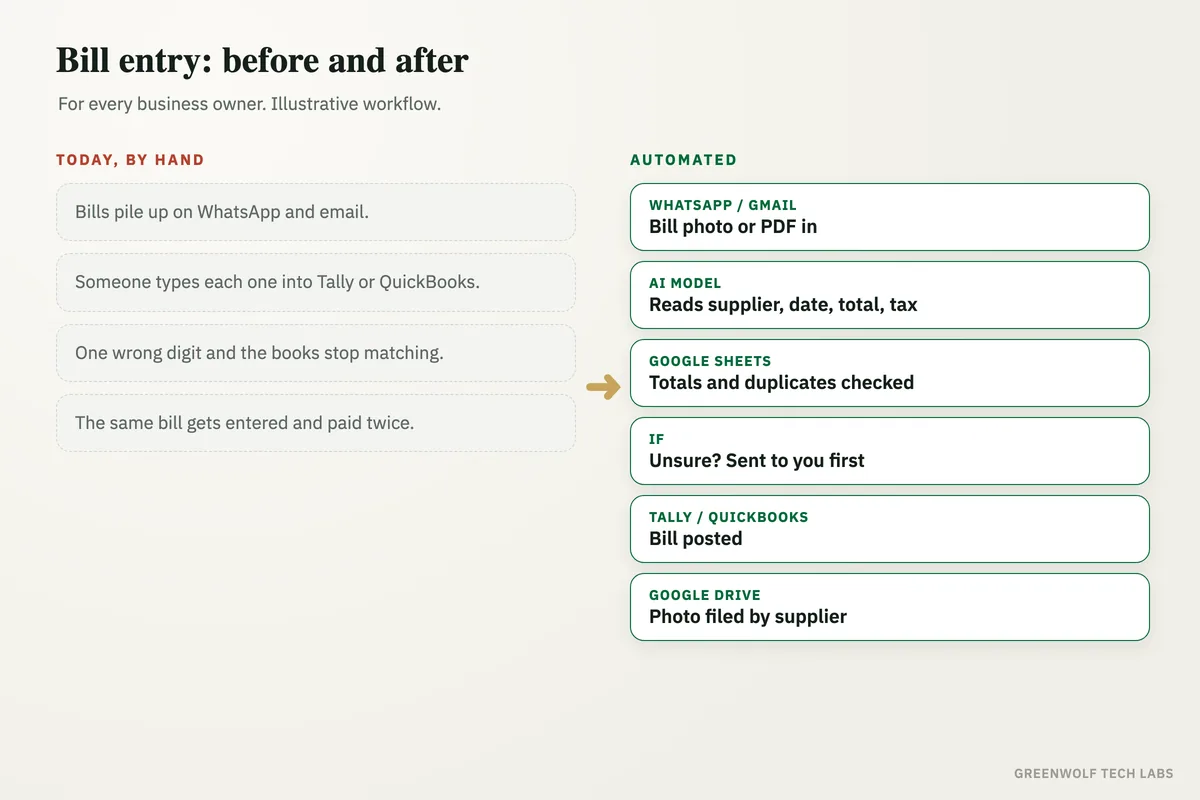
What gets automated
Bills collected in one place
Bill photos and PDFs from a WhatsApp number, a bills email address or a shared folder are picked up as they arrive.
- WhatsApp photos
- Email PDFs
- Scanned paper bills
Every field read by AI
An AI model reads the supplier, bill number, date, line totals, tax and amount due, even from a slightly blurred phone photo.
- Supplier and bill number
- Date and due date
- Total and tax
Checked before it is posted
The workflow checks that the lines add up to the total, the tax is worked out right and the supplier is one you already buy from.
- Totals add up
- Tax matches
- Known supplier
Duplicates stopped
A bill with the same supplier, number and amount as one already entered is held, so it is never booked or paid twice.
- Same bill on WhatsApp and email
- Resent copies
- Held, not posted
Doubts sent to a person
Unclear photos, new suppliers or totals that do not add up go to your accounts person with the photo, to approve or correct.
- One message per doubt
- Photo attached
- Approve or fix
Posted and filed the same day
Clean bills are posted to Tally, QuickBooks or Zoho Books, and the photo is filed in Google Drive by supplier and month.
- Posted to your books
- Original filed
- Ready for month-end
How the workflow runs
WhatsApp or Gmail: the bill arrives
Staff forward bill photos to a WhatsApp number, or suppliers email PDFs to a bills address. Each new file starts the workflow.
AI model: every field read
ChatGPT, Claude or a document reader such as Google Document AI pulls out the supplier, bill number, date, lines, tax and total.
Google Sheets: checks and duplicates
The bill is logged in a bills sheet, where totals, tax and the supplier are checked and earlier entries are searched for a duplicate.
If: unsure bills go to a person
Anything that fails a check is sent on WhatsApp or email to the accounts person, with the photo and the reason, to approve or correct.
Tally or QuickBooks: the bill is posted
Clean and approved bills are posted as purchase bills against the right supplier and expense head, through the QuickBooks or Zoho Books API or a Tally connector.
Google Drive: the original is filed
The photo or PDF is saved by supplier and month, and its link is kept on the bill row, so you can find any bill in seconds.
Who it is for
What you need to start
You keep your accounting system: Tally, QuickBooks or Zoho Books. Bills reach the workflow through a WhatsApp Business API number (through a provider such as WATI or Twilio), a bills email address in Gmail or Outlook, or a shared Google Drive folder. A Google Sheet holds the bills log and your supplier list, the workflow runs on n8n, Make or Zapier, and an AI model reads the bills.
The careful part of the build is the rules: which expense head each supplier goes to, how tax is treated, what counts as a duplicate, and which bills must always be approved by a person. We test the reading against a batch of your real past bills before anything is posted. For other paperwork, see our data extraction service, and for staff receipts, expense claim automation.
A typical build is planned around your books and your suppliers, tested on your own bills, and goes live over a few weeks.
Questions about invoice data entry automation
Can AI read supplier invoices accurately?
Can supplier bills go into Tally automatically?
How do I automate bill entry in QuickBooks?
How does it stop a bill being entered twice?
Do I still need an accountant?
How many supplier bills are waiting to be typed in right now?
Book a digital audit. Show us how bills reach you today and which books you use, and we will map how they could be read, checked and posted for you.
Part of our Data Management and Engineering hub. Start with our data management services.