

Why gym renewals keep slipping through the cracks
Gym membership management software is supposed to take the admin off the front desk, yet in most studios the renewals still happen by hand. Someone opens a sheet in the morning, spots the memberships expiring this week, and starts messaging members one by one. On a busy day, with classes running and walk-ins at the counter, that list is the first thing that gets left for later.
A missed renewal is quiet. The member does not cancel. They just do not come back, and nobody notices until the floor feels emptier than it should. Failed card payments are worse, because the member thinks they are still active while the payment sat and bounced. By the time anyone follows up, the goodwill to ask again has gone.
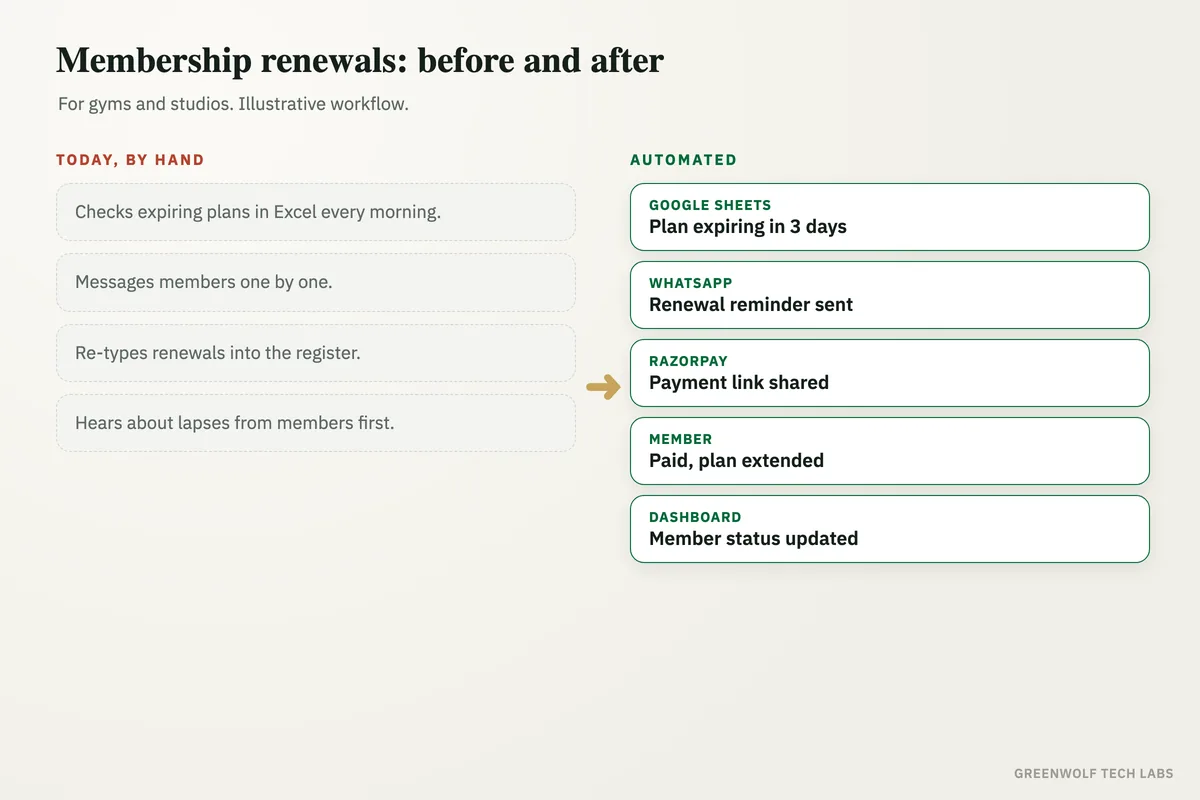
This workflow takes the chasing off your team. It watches who is expiring and who has a failed payment, sends the reminder with a payment link on the channel members actually read, logs who paid, and flags the ones who went quiet so a person can make one call that matters. Your staff run the floor. The system runs the follow-up.
What gets automated
Renewals on schedule
Every member nearing the end of their plan gets a reminder before it lapses, on WhatsApp or SMS, without anyone opening a sheet to find them.
- A first reminder days before expiry
- A nudge on the day it ends
- WhatsApp, SMS or email
Payments collected
The reminder carries a payment link, so members renew in a couple of taps and the status updates on its own.
- Payment link in the message
- One-tap renewal
- Paid status written back
Failed payments recovered
When a card or autopay bounces, the member is nudged the same day with a fresh link instead of quietly dropping off the rolls.
- Bounced payments caught early
- A retry link sent at once
- Escalated to the desk if ignored
Lapsed members flagged
Members who do not renew after the reminders are surfaced as a short win-back list, so the team knows exactly who to call.
- No-reply renewals highlighted
- Grouped by how long lapsed
- A call list, not a guessing game
New joiners onboarded
A new member gets a welcome message, their plan details and the class schedule, so the first week sets the habit that keeps them.
- Welcome and plan details sent
- Schedule and app links shared
- Logged against their record
The floor on one screen
Active, expiring, lapsed and recovered, on a single view the owner can check without asking the front desk.
- Active against expiring
- Renewal rate over time
- By plan and by branch
How the workflow runs
Reads who is expiring
The workflow pulls members whose plan ends soon, and any failed payments, from your management software or a Google Sheet.
Sends the reminder
Each member gets a renewal message on WhatsApp or SMS with a payment link, so they can renew without a phone call.
Collects the payment
The member pays through the link and the renewal is written back to their record, extending the plan automatically.
Recovers the misses
Failed payments and unanswered reminders get a timed follow-up, and anyone still quiet lands on a win-back list.
Shows the owner the floor
Active, expiring and recovered members roll up to one dashboard, so the health of the base is visible at a glance.
Who it is for
What you need to start
You do not need to switch systems. Most gyms start with what they already run: the member list from your management software or a Google Sheet, a WhatsApp Business number or an SMS gateway, and a payment link from whatever gateway you already collect with.
The data is simple. Member name, phone number, plan, expiry date and payment status. From that the workflow knows who to remind, what to charge and who has lapsed. If your software can export that or connect through an interface, the workflow reads it directly. If not, a shared sheet the desk already updates works fine.
A first version, renewal reminders and payment links on one channel, is usually a matter of days. Failed-payment recovery, win-back and a dashboard come next, once the studio sees the renewals landing on their own and wants to build on it.
Questions about gym membership management software
Do we need to replace our current gym software?
Which channels do renewal reminders go out on?
How does it handle failed payments?
Can members renew without calling the front desk?
Does it work for more than one branch?
Where do your renewals slip?
Tell us how renewals and failed payments are handled today and we will map it in a short digital audit, then show what automating the follow-up would look like for your studio.
Part of our Sales and Marketing Automation hub. Start with our marketing automation services.